TCS Mobile App

When you’re on the road, your fuel card tools should be easy to reach.

Whether you are an owner-operator, dispatcher, fleet manager, or small trucking company, the TCS Mobile App gives you fast access to tools that will keep your trucks moving.

The TCS Mobile App helps truckers and fleets manage fuel from the road. Use it to find truck stops, check diesel prices, search for fuel discounts, fund your TCS Fuel Card, manage card controls, view account activity, and track savings from your smartphone or tablet.

Sign Up for Your TCS Fuel Card

What Can Carriers Do with the TCS Mobile App?

There is more to the TCS Mobile App than fuel discounts. The app provides access to fuel card management, account activity, payment options, and reporting tools from a mobile device.

With the TCS Mobile App, you can:

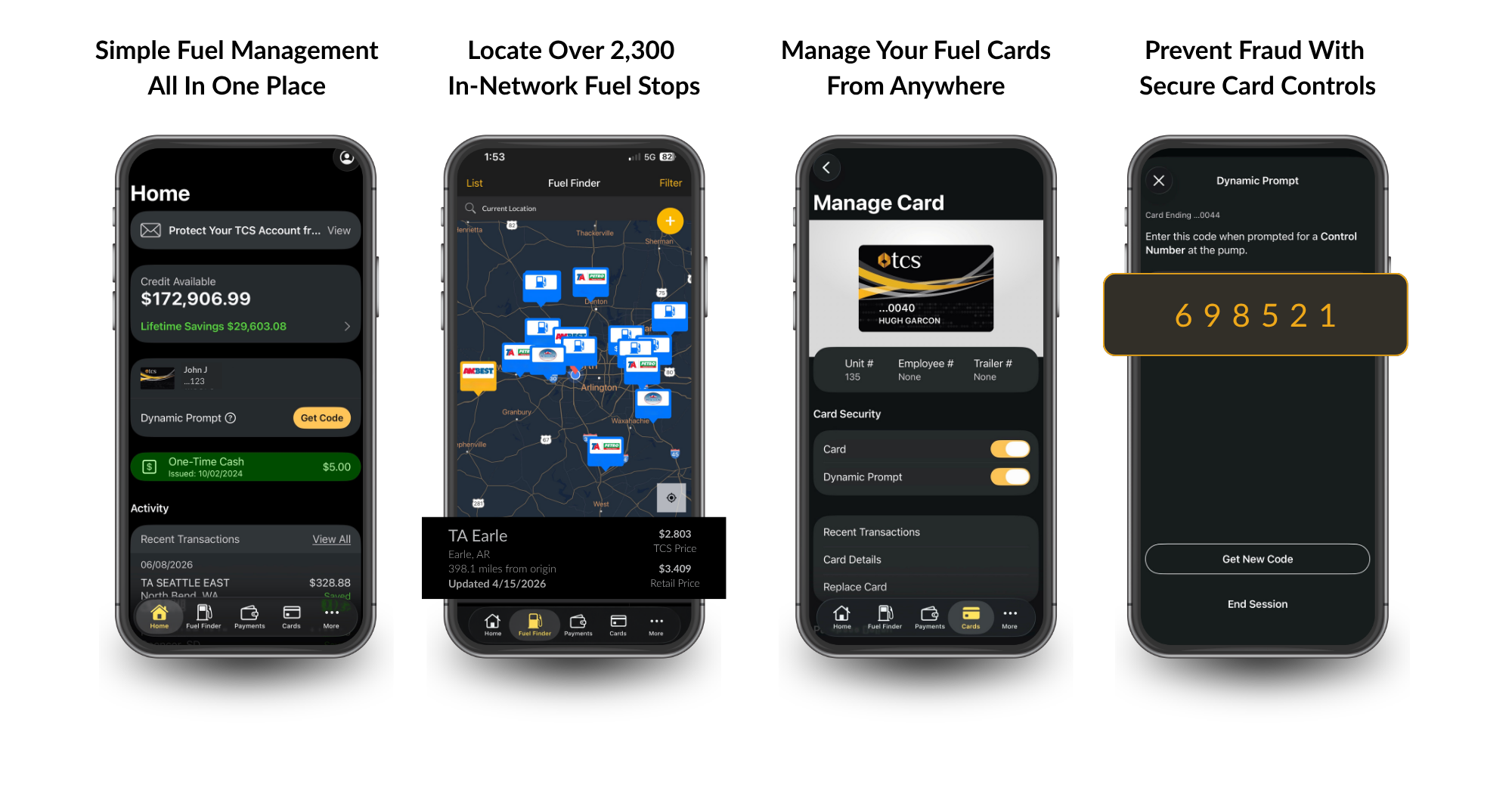
  • View balances, transactions, and rejected transaction reports.
  • See fuel discounts and savings from the past 30 days, current year, and lifetime.
  • Switch between multiple accounts without logging on and off.
  • Whatever you need to stay on budget and track fuel expenses, you can manage more of it through your TCS Fuel Card account and the TCS Mobile App.
  • Find diesel fuel prices near you or along your route.
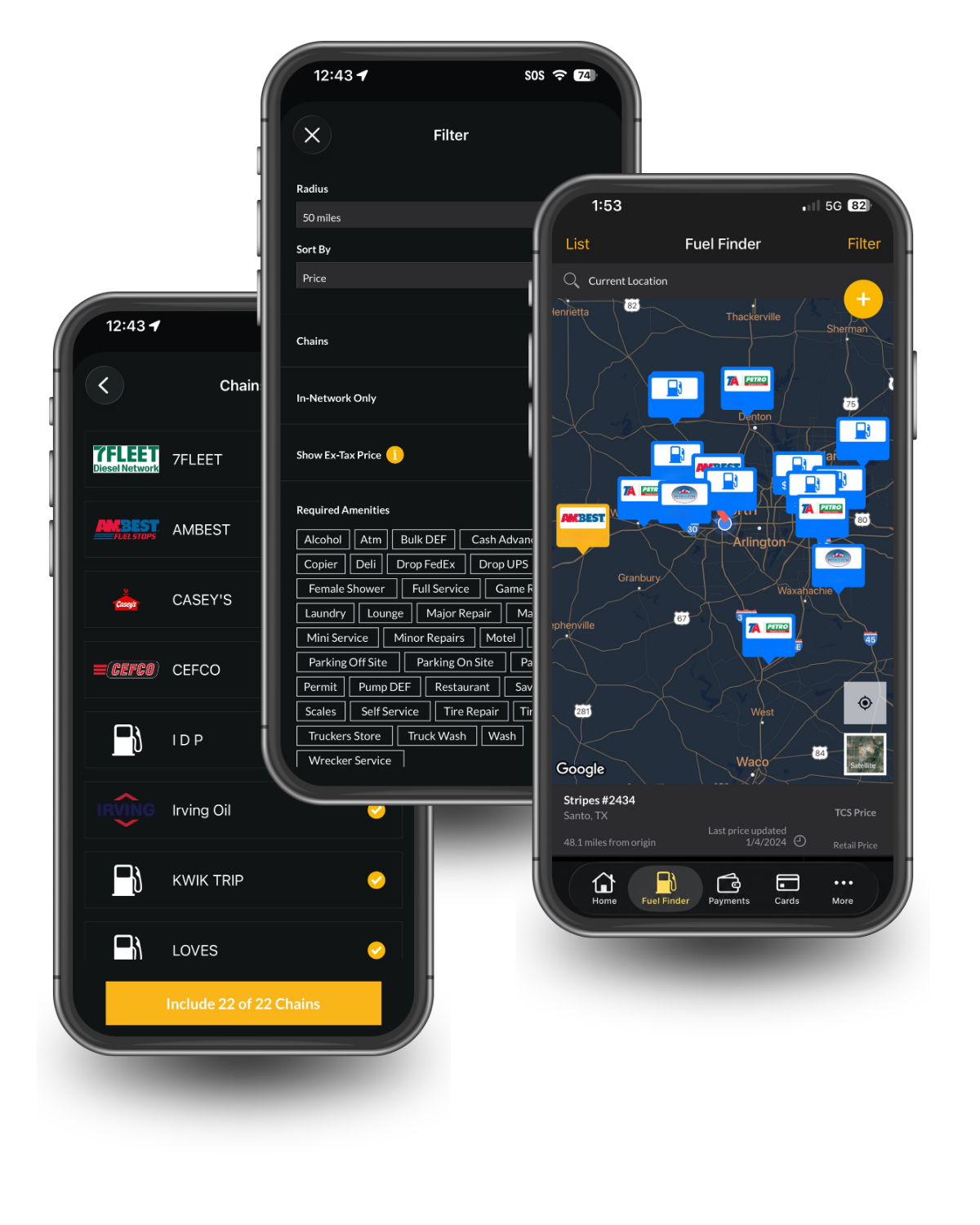
  • Search truck stops and available amenities
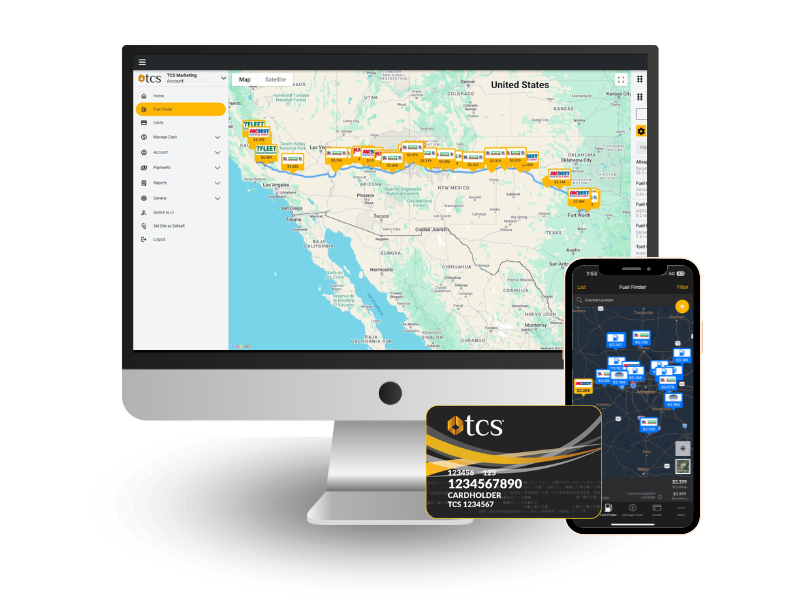
  • Locate more than 2,300 in-network fuel stops with the best discounts for The TCS Fuel Card.
  • Fund your TCS Fuel Card quickly, and securely with Zelle®, credit card, debit card, Apple Pay®, and Google Pay™ payments
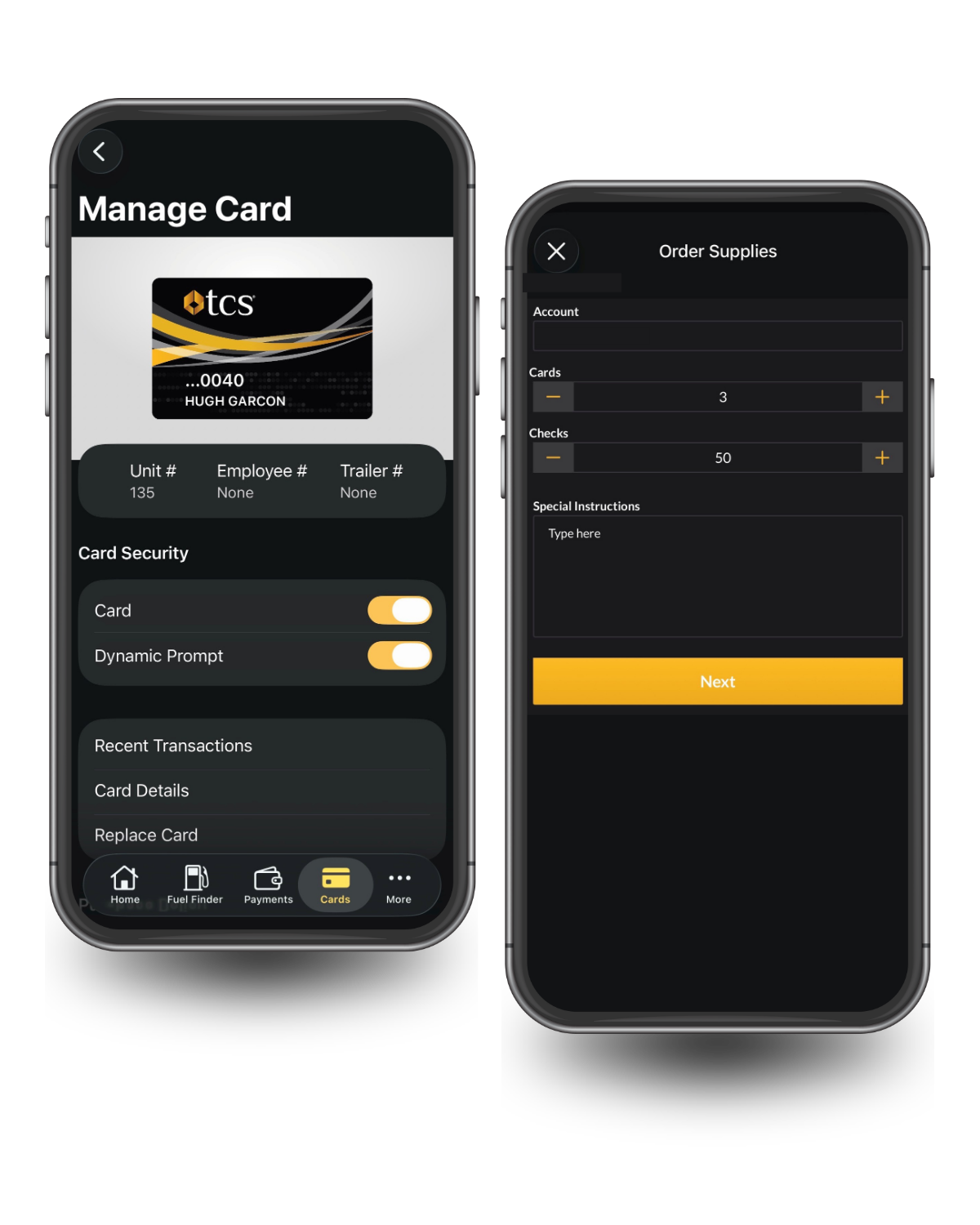
  • Manage company fuel cards from anywhere. Turn cards on or off, adjust limits for fuel products, non-fuel products, and one-time cash transactions.
Benefits of the Fuel Finder App

With the TCS Mobile App, you can stay connected to your TCS Fuel Card account and make fuel decisions with more confidence.

  • Convenience: Use the app to find fuel stops, check fuel prices, fund your account, and manage fuel card activity from your mobile device.
  • Control: Turn cards on or off, change card limits, switch between accounts, and manage fuel card access when needed.
  • Visiblity: View transactions, rejected transactions, balances, reports, discounts, and savings from the road.
  • Savings: Use Fuel Finder to locate in-network fuel stops and compare diesel fuel discounts before you fuel.
  • Efficiency: Spend less time searching for fuel stops, reviewing account activity, or managing payments from separate tools.
TCS Fuel Finder and Fuel Card

Find Fuel Prices with Fuel Finder

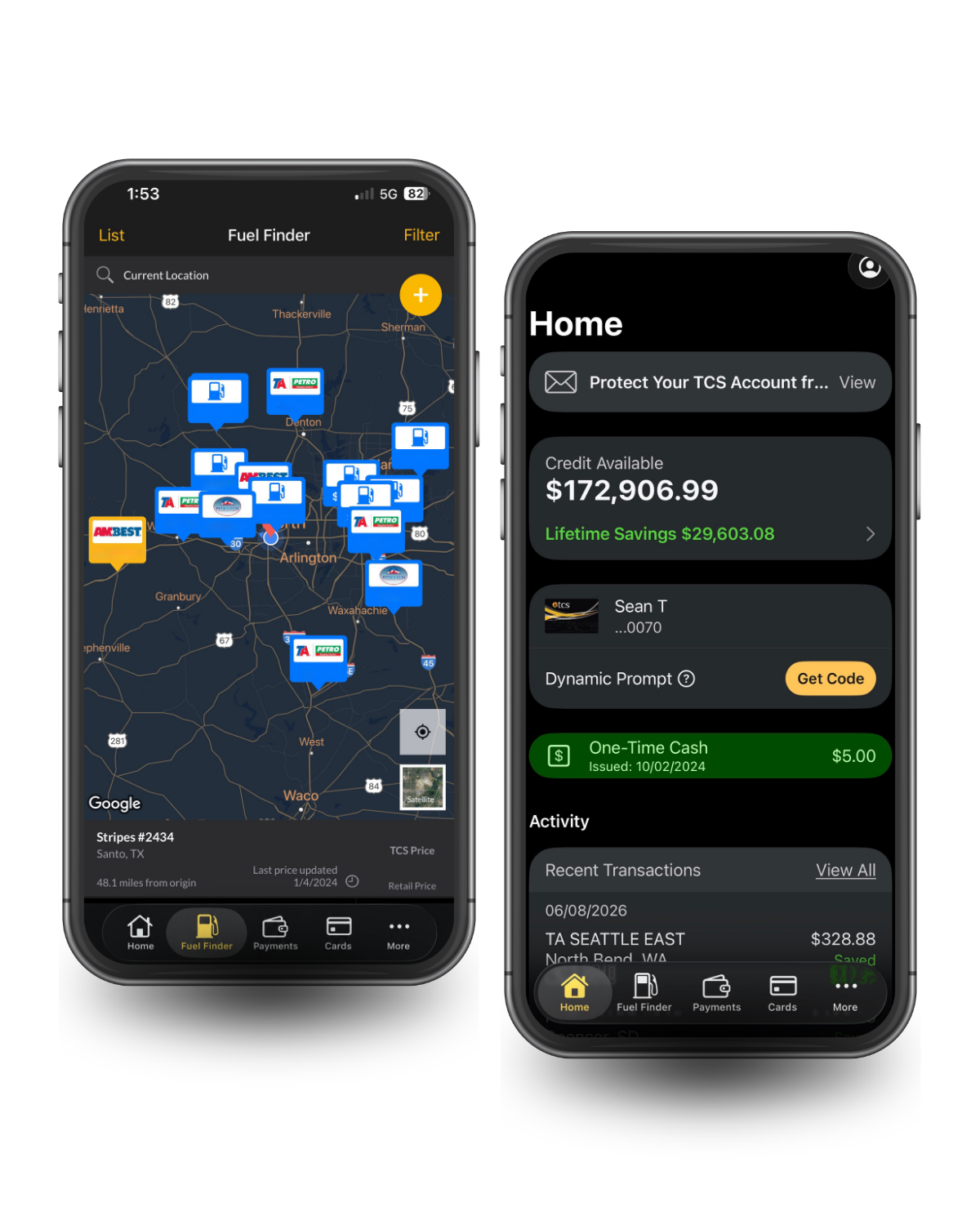
Fuel prices can change from one stop to the next. With Fuel Finder in the TCS Mobile App, you can search for diesel fuel prices before you pull in.

Use TCS Fuel Finder to search by city, ZIP code, route, or current location. You can find in-network fuel stops, compare fuel prices and discounts, and look for truck stop amenities that matter to your trip.

Search for amenities like:

Fuel Finder helps truckers and fleets plan better fuel stops, avoid guessing at the pump, and make more informed fuel decisions while on the road.

Manage Your TCS Fuel Card from the App

Fuel management should be simple, especially when trucks are already on the road. The TCS Mobile App helps you easily manage important fuel card activity from your phone or tablet.

Use the app to turn cards on or off to combat fraud, update limits to easily manage your fleet, and switch between multiple accounts without logging in and out. You can also order extra cards and checks directly through your account for one-time emergencies and exceptions.

These tools can help owner-operators, small fleets, dispatchers, and fleet managers stay in control of fuel card use without waiting until they are back at a desk.

Payment Center makes adding Funds and Making Payments from Your Device a breeze

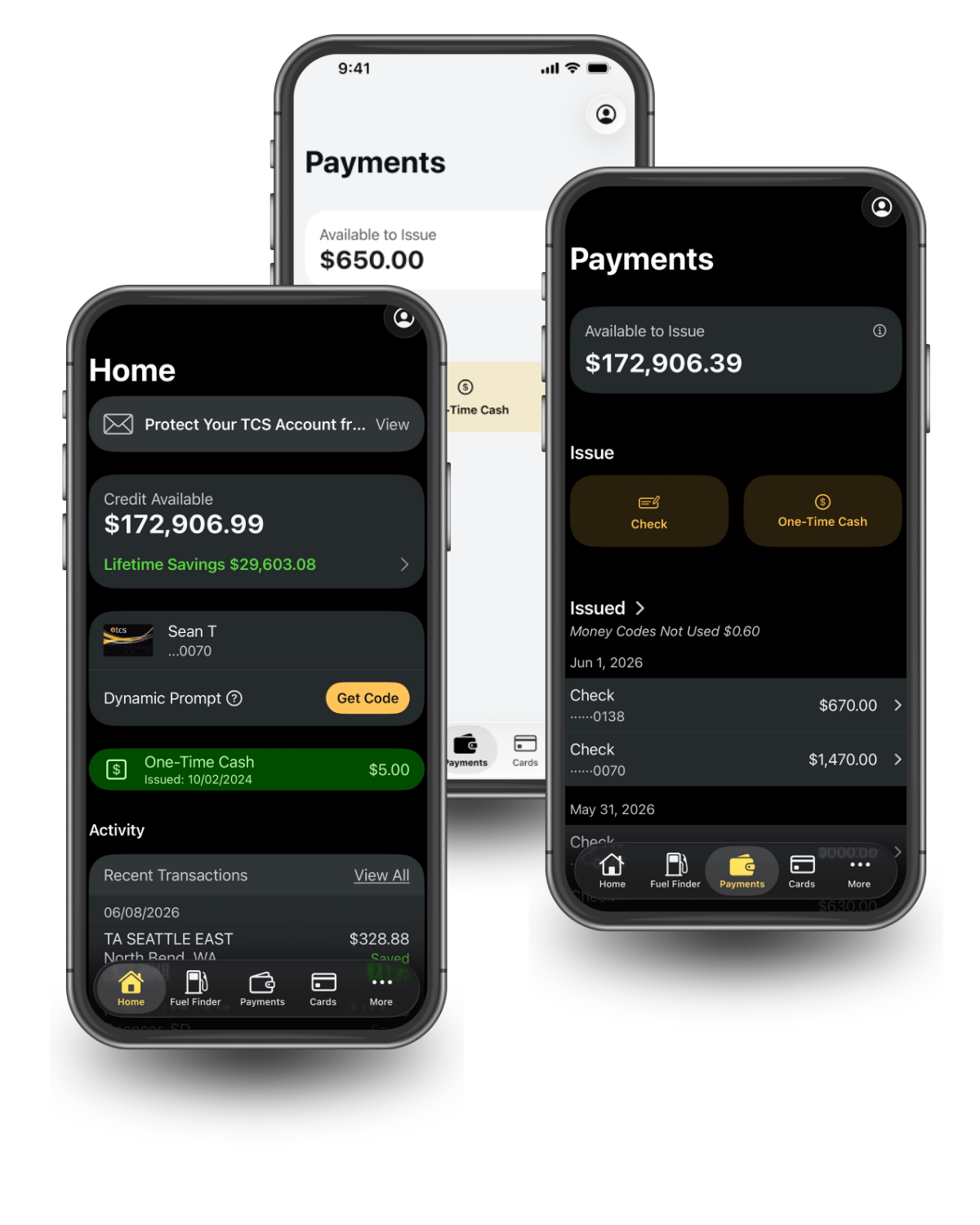
The Payment Center in the TCS Mobile App makes it easier to fund your cash-secured TCS Fuel Card when you need to keep moving.

Fund your TCS Fuel Card in minutes via instant payment methods like, Zelle®, credit card, debit card, Apple Pay®, and Google Pay™.

That makes it easier to add money to your account, manage available funds, and keep your fuel card ready for the next stop.

View Transactions, Reports, and Savings

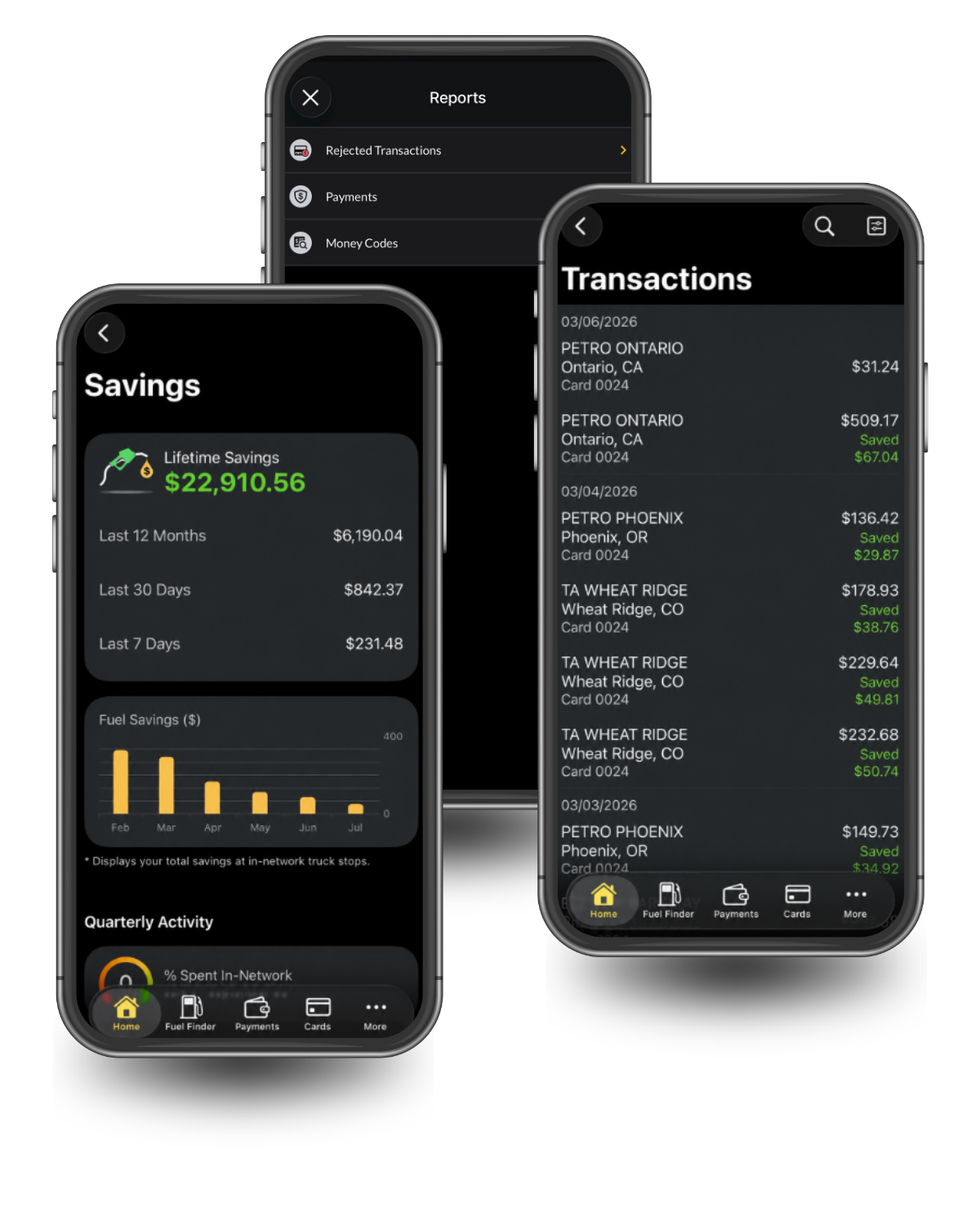
The TCS Mobile App gives you access to account activity and fuel card reports from your mobile device.

View transaction reports by product, card, date, and state.

The app also helps you track your fuel discounts and savings from the past 30 days, current year, and lifetime. That visibility can help you better understand fuel spending, monitor card activity, and stay organized.

Enjoy the Convenience of Managing Your Fuel Card Account Anytime, Anywhere

The TCS Mobile App gives truckers, owner-operators, small fleets, and fleet managers mobile access to the tools they need to manage fuel more efficiently.

Use the app to find fuel stops, compare diesel fuel prices, manage card controls, view transactions, track savings, and access account information from wherever you are.

When you are on the road, your fuel card tools should be easy to reach. The TCS Mobile App helps you manage fuel, payments, cards, and account activity from your mobile device.

Android, Google Play and the Google Play logo are trademarks of Google LLC. App Store is a registered trademark of Apple Inc.

TCS Mobile App FAQs

What can you do with the TCS Mobile App?

You can use the TCS Mobile App to find fuel prices, truck stop map, fund your TCS Fuel Card, manage card controls, view transactions, track savings, switch between accounts, issue one-time industry checks, and order extra cards and checks.


Can the TCS Fuel Card be used for larger fleets?

Yes. The TCS Fuel Card works for owner-operators, small trucking companies, and larger fleets alike. You can manage multiple cards under one account, set individual card controls and limits, and switch between accounts through the TCS Mobile App, no matter how many trucks you run.


Can you find diesel fuel prices in the TCS Mobile App?

Yes. Fuel Finder in the TCS Mobile App lets you search for diesel fuel prices near you or along your route. You can search by city, ZIP code, route, or current location.


Can you manage TCS Fuel Cards in the app?

Yes. You can manage company fuel cards, turn cards on or off, change limits, switch between multiple accounts, and order extra cards and checks.


Can you set fuel card limits in the app?

Yes. You can change limits for fuel products, non-fuel products, and one-time cash from the TCS Mobile App.


How do you add money to your TCS Fuel Card?

TCS Fuel Card clients can fund their cash-secured TCS Fuel Card through the TCS Mobile App or the TCS Website.


What payment methods can you use?

TCS Fuel Card clients can make Zelle®, credit card, debit card, Apple Pay®, and Google Pay™ payments through the TCS Mobile App or TCS Website.


Can you view transactions and savings in the app?

Yes. You can view transaction reports, rejected transaction reports, fuel discounts, and savings from the past 30 days, current year, and lifetime.


Where do you download the TCS Mobile App?

The TCS Mobile App can be downloaded from the Apple App Store or Google Play Store.
TCS Fuel Card Saves Money for Truckers. TCS Fuel Card portrayed as a wallet with cash spilling out attached to a diesel fuel pump.

Are You Ready To Get The Best Fuel Card For Truckers?

Call Us Today:

844-827-7705
get started